


A year ago, Claude was something you asked to rewrite a paragraph. Now it’s pulling keyword clusters together, reading Screaming Frog exports, and running inside an SEO agency’s actual toolstack through MCP. The job’s changed fast, and most guides haven’t caught up.
Part of that’s down to features that didn’t exist a year ago: Claude Skills, Projects, and the MCP connectors that let Claude talk directly to tools like Semrush and Google Search Console. Most “AI for SEO” content out there still treats Claude as a writing assistant and stops there, which means it’s missing most of what it can actually do for a marketing team in 2026.
This page is the map. Eight real jobs Claude does in an SEO workflow, each one linked to a full guide so you can go straight to the part that’s actually slowing your team down, instead of reading a wall of theory you won’t use.
What Claude actually does in an SEO workflow
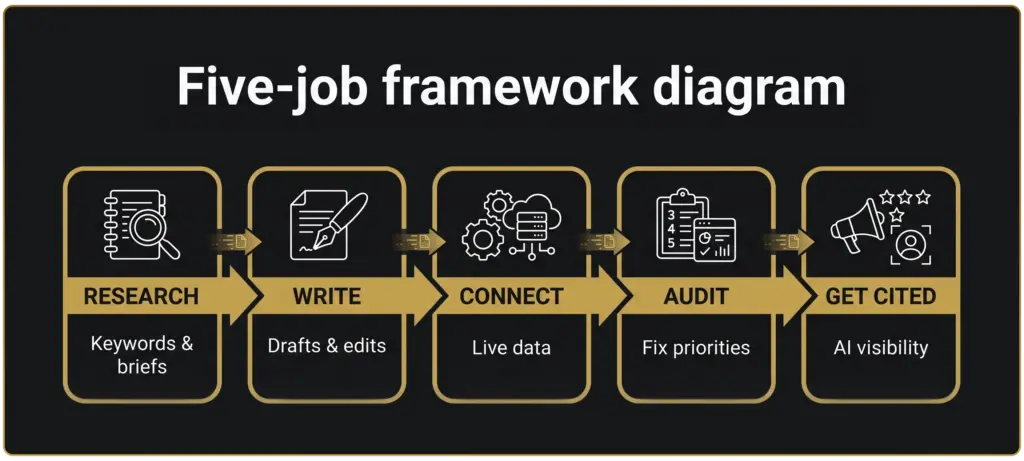
Break it into five jobs: research, writing, connecting your tools, running audits, and getting your brand cited by AI itself. None of these need you to be technical. Some, like exporting a report and pasting it into a conversation, take five minutes to learn. Others, like setting up an MCP connection, are worth having someone technical do once so the whole team benefits after. Each one below links to a full walkthrough, so this section stays a map, not a rehash.
Researching keywords and content with Claude
This is where most people start, and it’s the easiest win. Feed Claude a topic and it’ll cluster keywords by intent, draft a content brief, or pull apart a competitor’s article to find what it missed. Give it a messy list of 200 keywords from a tool export and it’ll group them into content-ready themes in a few minutes, work that used to eat an afternoon in a spreadsheet.
It won’t replace judgment on which keywords are worth the hours, and it won’t know your client’s actual priorities unless you tell it. But it cuts the grunt work down to minutes, which means more of the day goes to the calls that actually need a person: is this cluster worth building a page for, does it fit the client’s funnel, is the timing right.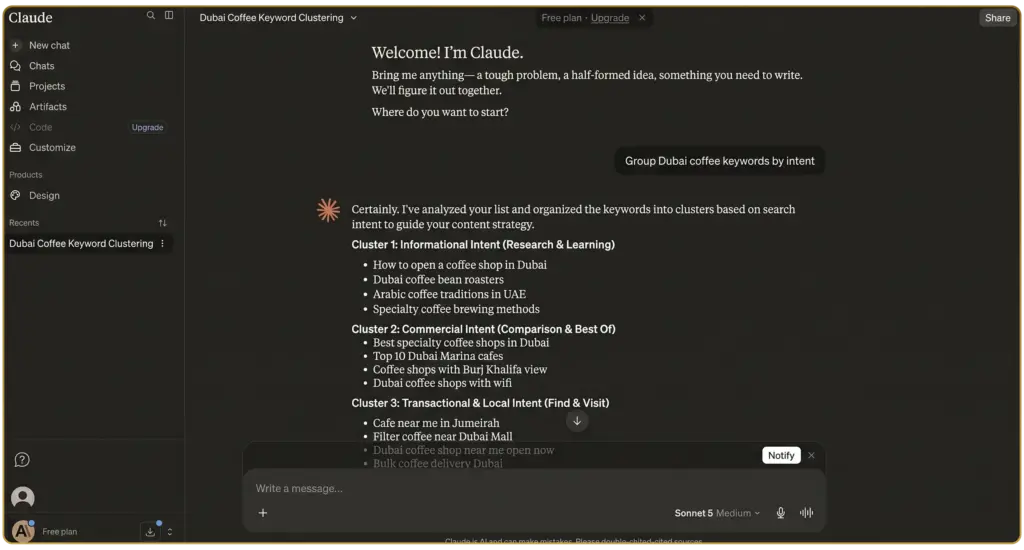
Read the full prompt library: Claude prompts for SEO keyword research and content briefs
Writing SEO content that doesn’t read like AI wrote it
Claude drafts fast. That’s not the hard part. The hard part is the edit that follows: cutting the phrases that give away an AI wrote it, keeping the brand’s actual voice, and knowing which sections need a human’s judgment instead of a rewrite. Skip that step and it shows, readers notice, and increasingly so do the AI engines themselves when they’re deciding what’s worth citing.
The teams getting this right aren’t using Claude to skip the writing, they’re using it to skip the blank page. A first draft in ten minutes gives a writer something to react to and improve, which is a very different job from staring at an empty document.
Read the full workflow: How to use Claude to write SEO content that doesn’t read like AI
Picking the right model for the task
Claude isn’t the only model worth having open. Some tasks suit ChatGPT better, some suit Gemini, and knowing which is which saves you from bouncing between three tabs guessing. Claude tends to hold up well on longer, structured tasks like an audit summary or a brand-voice-consistent draft, where the other models sometimes lose the thread halfway through. That’s worth knowing before you commit a whole team workflow to one model out of habit.
It’s worth testing this properly instead of assuming, especially since the models change fast enough that what was true six months ago might not hold now. Run the same task through two or three of them once a quarter and you’ll know, rather than guess.
Read the full comparison: Claude vs ChatGPT vs Gemini for SEO: 7 tasks compared
Connecting Claude to your SEO stack
There are two ways in. The technical route runs through MCP, Anthropic’s protocol for connecting Claude directly to tools like Semrush, Google Search Console, and Screaming Frog, so you can ask a question and get a live answer instead of exporting a report first. Set it up once and anyone on the team can ask Claude “why did traffic drop on this client’s site last week” and get an answer pulled straight from the actual data, instead of waiting for whoever owns the login.
The no-code route skips the setup entirely: export a GSC or GA4 report and upload it into a Claude conversation or Project. Slower if you’re doing it every week, but there’s no setup, no permissions to sort out, and no dependency on whoever configured the connection. Neither is more “correct” than the other, it’s a question of whether you want a live connection or you’re happy working from a snapshot.
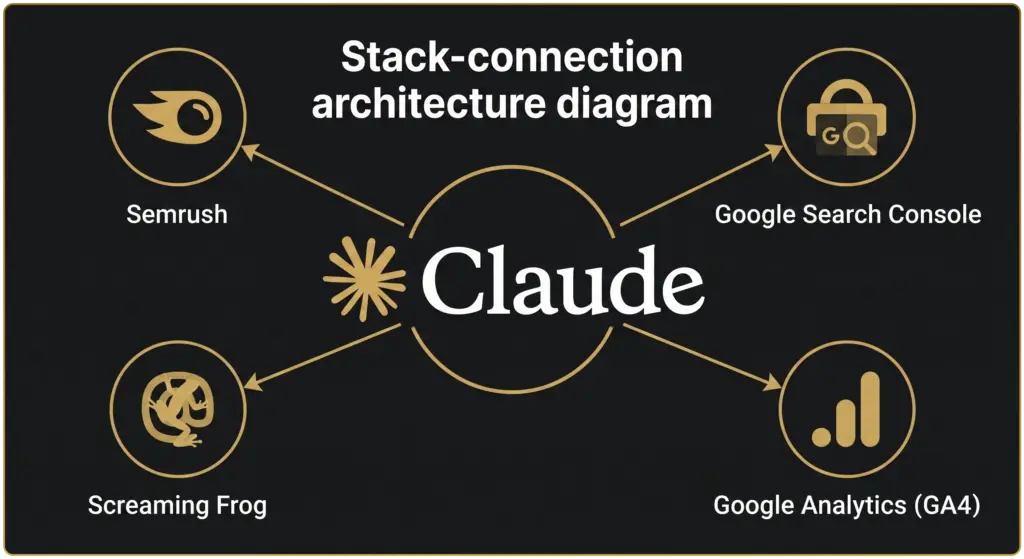
Read the full setup guide: How to connect Claude to your SEO stack: Semrush, GSC, GA4 and Screaming Frog.
Building a brand knowledge base with Claude Skills and Projects
This is the part most SEO teams haven’t touched yet, and it’s the highest-volume topic in this whole guide for a reason: people are searching for Claude Skills and Projects far more than they’re searching for anything SEO-specific, which tells you the feature’s landed with a much wider audience than just marketers.
A Claude Project holds a client’s brand voice, past audits, and style rules permanently, so you’re not re-explaining context every single time someone opens a new conversation. A Skill packages a repeatable workflow, like a content-brief template or an audit format, so it runs the same way every time someone on the team uses it, instead of everyone building their own version of the same prompt.
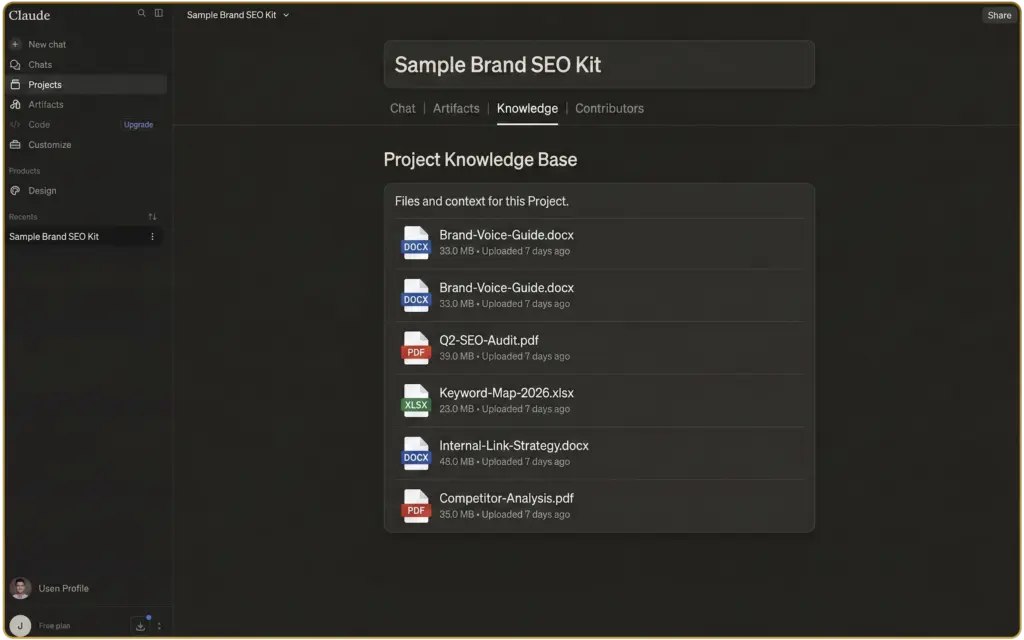
Set this up once for a client and you stop losing time re-explaining “how we write” every time someone new touches the account.
Read the full guide: Claude Skills and Projects for SEO teams: building your agency’s brand knowledge base
Running SEO audits with Claude
Two versions of this, and they’re not the same job. The general audit pulls together content gaps, on-page basics, and link issues into a prioritized list from an export you already have, the kind of audit you’d hand a client as a starting point for a wider conversation. The technical audit goes narrower: crawl errors, indexation, canonicalization, and schema gaps, working straight from a Screaming Frog crawl, and it’s built for someone who already knows what those terms mean and wants the priority list, not the explanation.
Worth being clear-eyed here: Claude doesn’t crawl a site on its own, it works from whatever data you hand it. What it’s actually good at is triage, taking a raw export full of hundreds of rows and turning it into “fix these five things first, here’s why,” which is usually the part that eats the most time in a manual audit.
Read the general audit workflow: How to run an SEO audit with Claude: a step-by-step prompt workflow.
Read the technical deep dive: Claude technical SEO audit: turning a Screaming Frog crawl into a fixable priority list.
Getting your brand cited by Claude
Everything above is about using Claude as a tool. This one flips it: when someone else asks Claude a question, does your brand show up in the answer? That’s a different job entirely, closer to digital PR and content structure than to prompting, and it’s worth treating as its own discipline rather than an afterthought.
Claude doesn’t decide what to cite the same way Google or ChatGPT do. Things like server-side rendering, unlinked brand mentions, and how fresh a page looks all play into it, and most of that has nothing to do with the keywords on the page. It’s a newer skill for most marketing teams, which is exactly why it’s worth getting ahead of now rather than once every competitor’s already doing it.
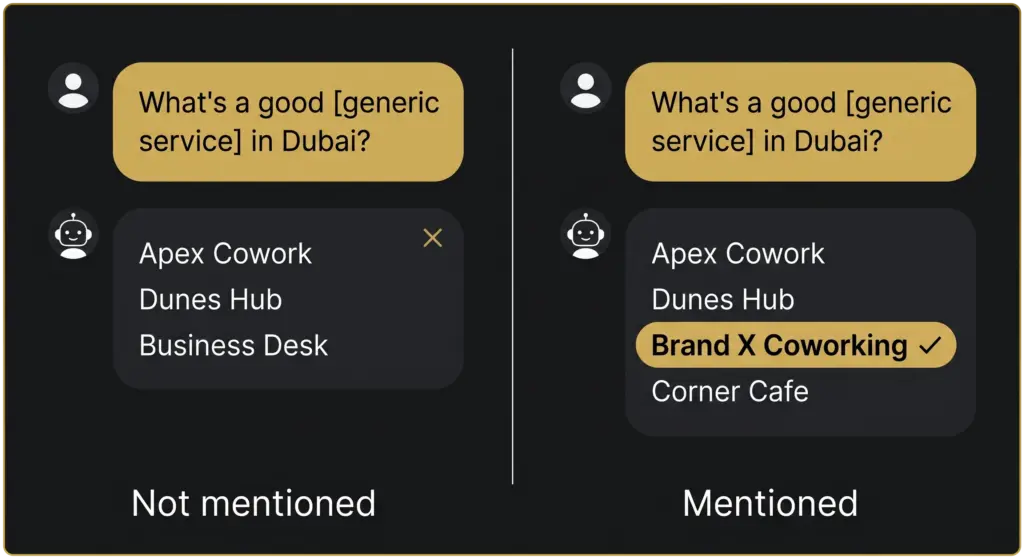
Read the full checklist: How to get your brand cited by Claude: a GEO checklist for UAE businesses.
Where to start
Don’t try to do all eight at once. Start with whichever one matches the actual bottleneck: slow research, inconsistent brand voice across writers, no visibility into what AI search is doing with your content, or a backlog of technical fixes nobody’s gotten to. Fix the thing that’s actually costing you time right now, not the one that sounds most impressive in a pitch deck.
Reading this guide gets you started. Running all eight of these consistently, across every client, on top of everything else an agency already does, is a team job, not an afternoon. If you’d rather have this run for you, that’s what our AI SEO Dubai service is for.
Not ready for that conversation yet? Run your site through the free SEO & AI Visibility Audit first and see where you actually stand.
Sources cited
- Semrush Keyword Analytics: claude for seo and related terms, AE and US databases, pulled 2026-07-28.
- Anthropic, Model Context Protocol documentation — referenced for how MCP connects Claude to external tools, not re-explained in full here.
FAQs
What five core jobs does Claude handle in an SEO workflow?
Claude’s use in an SEO workflow breaks down into five jobs: research, writing, connecting your existing tools, running audits, and getting your brand cited by AI search itself. None of these require technical skill; some, like exporting a report and pasting it into a conversation, take five minutes to learn.
Is Claude better than ChatGPT or Gemini for every SEO task?
No single model holds a permanent lead. Claude tends to perform well on longer, structured work such as audit summaries or brand-voice-consistent drafts, where other models can lose the thread partway through, but the sensible approach is comparing tools regularly. Running the same task through two or three models once a quarter shows which one actually fits, rather than guessing.
Should an agency implement all of Claude’s SEO use cases at once?
No. The recommended approach is starting with whichever bottleneck is causing the most pain, slow research, inconsistent brand voice across writers, or no visibility into what AI search is doing with your content, rather than adopting every approach simultaneously. Running all of them consistently across every client account eventually becomes a team job rather than something managed on the side.
Which SEO tasks require no technical skill to get started?
Some Claude-assisted SEO tasks need no technical setup at all, such as exporting a report from Search Console or Semrush and pasting it into a conversation, which takes about five minutes to learn. These simpler tasks are a practical starting point before moving into more technical work like live tool connections.
Why is testing Claude’s output important before rolling it out to a team?
Testing capabilities before team-wide adoption catches issues early, since running research, writing, tool connections, audits, and AI citation work consistently across every client account is a team-level commitment, not something to figure out after the fact. Confirming a workflow works on one account first avoids repeating the same mistake across an entire client list.