


If you’ve searched “Claude Skills” or “Claude Projects” and you’re not fully sure which one you need, you’re not alone. Both let Claude remember things between conversations instead of starting from zero every time, but they do it in different ways, and the difference matters a lot more once you’re running content or SEO work for more than one client.
Here’s the plain-English version of both, and then the part most guides skip: how an SEO or content team actually uses them to stop re-explaining the same brand voice, style rules, and past decisions every single time someone opens a new chat.
What’s the difference between a Claude Project and a Claude Skill?
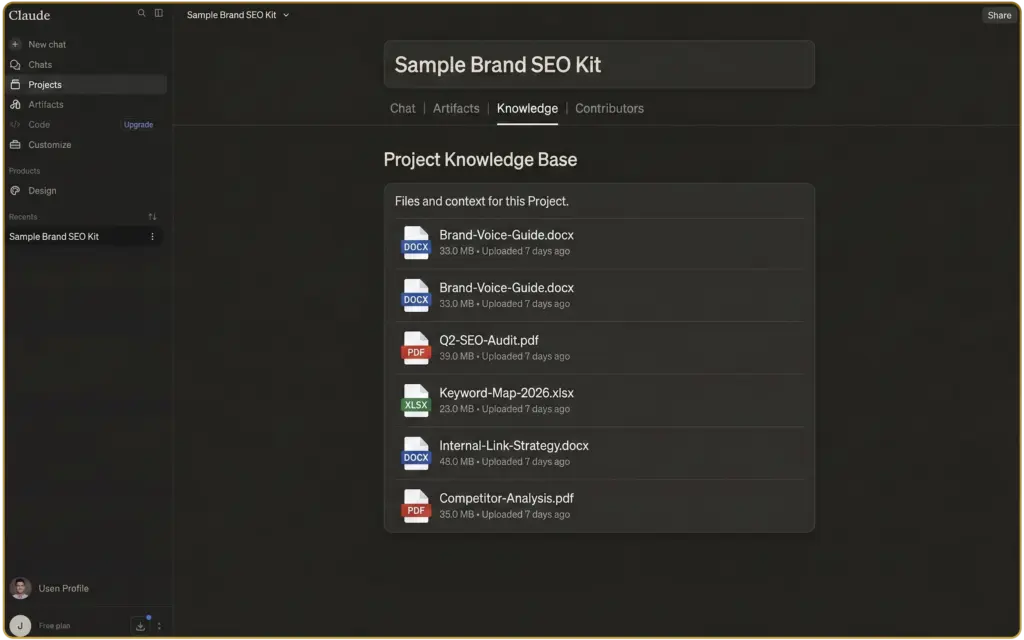
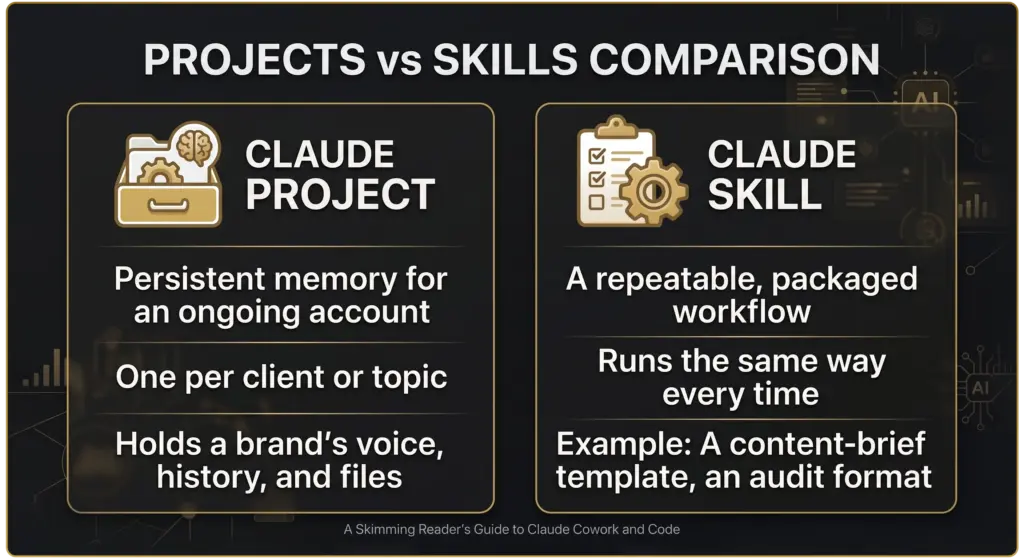
A Claude Project is a workspace with memory. You load it up with files, notes, and context once, a brand’s tone of voice guide, past reports, whatever’s relevant, and every conversation you have inside that Project can draw on it. Ask a question inside a “Client X” Project and Claude already knows Client X’s style, without you pasting it in again.
A Claude Skill is different: it’s a packaged, repeatable way of doing a specific task, built once and triggered the same way every time. Think of it as the difference between a filing cabinet (the Project, holding everything relevant) and a checklist someone follows every time they do a specific job (the Skill). A Project remembers who the client is. A Skill makes sure a specific task, like formatting a report or running through an audit, comes out the same way regardless of who’s running it.
Neither replaces the other, and most real setups use both together: a Project holding a client’s ongoing context, with Skills built for the specific, repeatable tasks that get run against it.
A quick way to tell them apart when you’re not sure which you need: if the question is “does Claude already know who this client is and how they sound,” that’s a Project problem. If the question is “will this specific task come out the same way no matter who runs it,” that’s a Skill problem. Most teams end up needing both fairly quickly once they’re running this across more than one account.
Why this matters more for SEO and content teams than most jobs
Most jobs don’t require the same context to be re-explained on a weekly basis by three different people. SEO and content work does. A new writer joins the account and needs to learn the brand voice. A different team member picks up an audit and needs the history of what’s already been flagged. The account’s been running for two years and nobody remembers why a decision got made in month four.
That’s exactly the kind of repetition a Project or Skill is built to remove, and it’s a bigger time cost than most agencies actually track.
Think about how many times a single client’s brand guidelines get explained in a year: once to a new hire, again when a freelancer’s brought in for overflow, again when someone comes back from leave and needs a refresher. Each time, whoever’s explaining it is relying on memory or digging through old files to get it right. A Project turns that from “ask around and hope someone remembers” into “it’s already loaded, ask Claude directly.”
Setting up a client’s brand knowledge base as a Claude Project
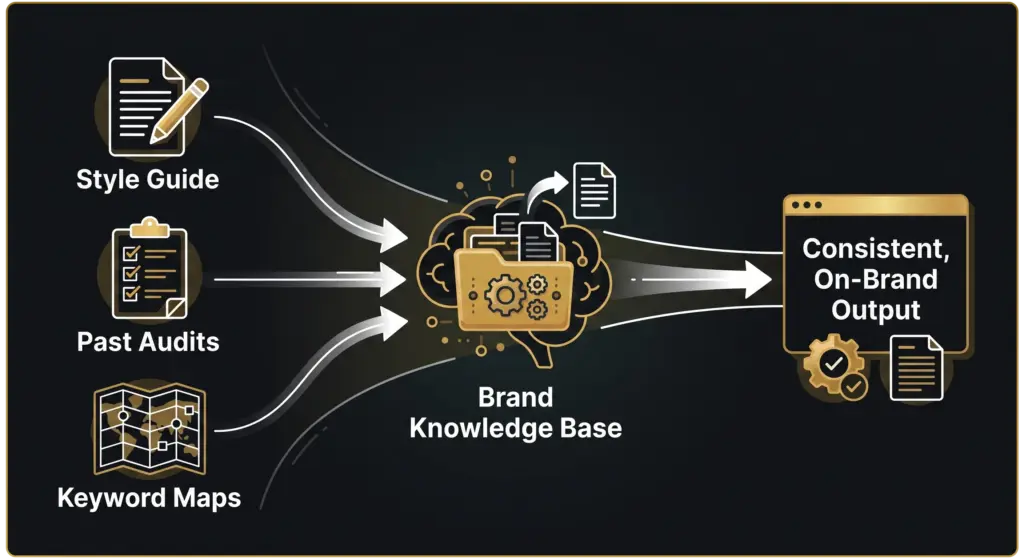
Start with what’s genuinely stable, not everything you have. A good starting set: the brand’s tone-of-voice guide, a handful of past pieces of content that represent the target style well, the last one or two SEO audits, and a current keyword map. That’s usually enough to make Claude sound like it already knows the account, without turning the Project into a dumping ground nobody maintains.
What to load in, and what to leave out
Load in things that stay true for months at a time: brand voice, structural preferences, past strategic decisions and the reasoning behind them. Leave out things that go stale fast, this week’s rankings, a live campaign brief, anything that’s more accurate as a fresh input each time you ask a question. A Project full of outdated numbers is worse than no Project at all, because it’ll confidently give you an answer based on data that’s no longer true.
One decision worth making early: one Project per client, or one shared Project split by folder. For agencies running more than a handful of accounts, one Project per client is usually cleaner, it stops one client’s numbers or tone bleeding into another’s conversation by accident, and it makes handing an account to a new team member simpler since everything relevant is already in one place.
Turning a repeatable workflow into a Skill
Once the Project’s holding context, a Skill is where the “same every time” part comes in. A content-brief Skill can be built to always output the same structure: primary keyword, intent, heading outline, and internal linking suggestions, so a brief from one writer looks the same as a brief from another. An audit-summary Skill can be built to always flag issues in the same priority order, so a client review doesn’t read differently depending on who ran it that month.
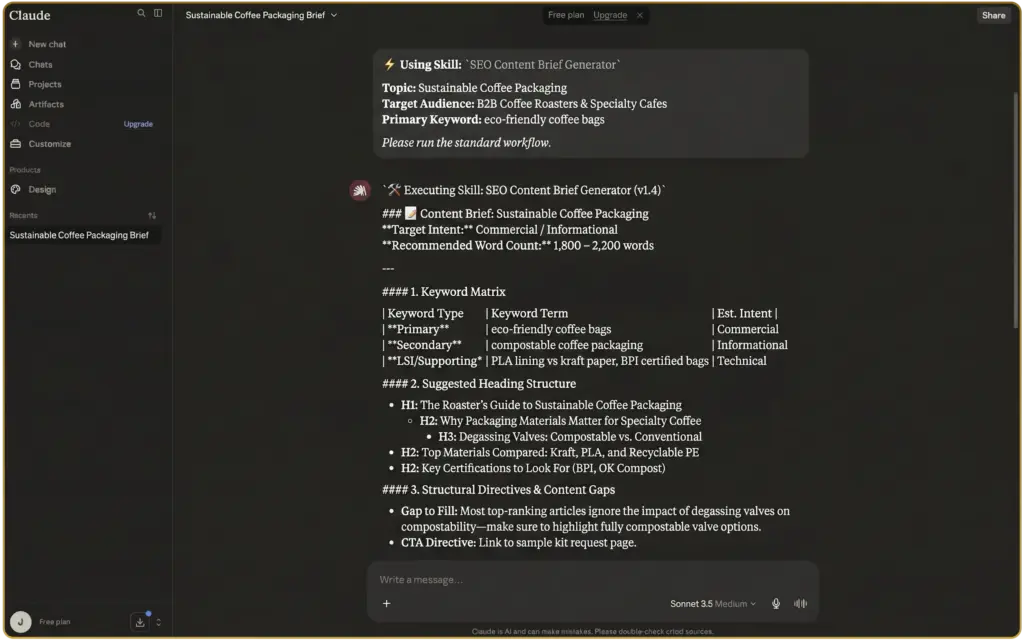
The value isn’t that it’s clever, it’s that it’s consistent. A junior team member using a well-built Skill produces the same quality of output as someone who’s been on the account for a year, at least for that specific task. That matters more than it sounds like it should: a lot of quality drift on an account comes down to whoever’s doing a task that week having a slightly different idea of “how we do this,” not a skills gap.
Skills work best for the tasks a team already does the same way every time by habit, formatting a monthly report, running through an audit checklist, drafting a first-pass content brief. If a task genuinely needs fresh judgment every time, forcing it into a Skill just adds friction. The test is simple: if you’d hand a new hire a written process document for this task, it’s probably a good candidate for a Skill.
Where this breaks down
Worth being honest here rather than making this sound like a one-time fix. A Project is only as good as what’s loaded into it, and a brand that’s evolving, repositioning, or just growing needs that knowledge base updated, not left as a snapshot from the day it was set up. Across five or ten client accounts, someone still has to own keeping each one current, and that’s a real, ongoing job, not a weekend project you finish once and forget.
It also won’t catch a client’s brand voice shifting on its own. If a client rebrands or changes direction and nobody updates the Project, Claude will keep applying the old voice confidently, which is arguably worse than a blank slate, since a blank slate at least prompts someone to check. Treat the knowledge base as something that needs a review point, not something you build once and trust indefinitely.
Where this fits
Reading this tells you what’s possible with Skills and Projects. Building a proper knowledge base for one client account is a manageable afternoon. Doing it properly, and keeping it current, across every account an agency runs, is where it turns into an operational job on its own.
If you’d rather have this built and maintained for you, that’s what our AI SEO Dubai service is for. Not ready for that conversation yet? Run your site through the free SEO & AI Visibility Audit first and see where you stand.
Once you’ve got a Project set up, the next logical step is connecting Claude to the rest of your SEO stack directly: How to Connect Claude to Your SEO Stack: Semrush, GSC, GA4 and Screaming Frog
For the rest of the ways Claude fits into an SEO workflow, see the full guide: How to Use Claude for SEO
Sources cited
- Semrush Keyword Analytics: claude skills, claude projects, AE and US databases, pulled 2026-07-28.
- Anthropic, Claude Skills and Projects documentation — referenced for how the features work, not re-explained in full here.