


Most Dubai businesses treat website accessibility compliance as a box to tick after launch, if they think about it at all. That’s a mistake with two separate costs: a shrinking pool of users who can’t complete a purchase or fill in a form, and a legal exposure that grows every year as accessibility litigation spreads beyond the United States. WCAG, the Web Content Accessibility Guidelines, is the standard most regulators and courts point to when they assess whether a site works for disabled users. Understanding what it asks for, rather than the vague version most site owners have heard, changes how you prioritise fixes.
What WCAG covers
WCAG organises requirements around four principles: content must be perceivable, operable, understandable and robust. Each principle breaks into specific, testable criteria rather than general good intentions. A site can look polished and still fail on dozens of these criteria at once, because most visual design decisions get made without checking how they behave for someone using a screen reader, a keyboard alone, or a browser zoomed to 200%.
The guidelines come in three conformance levels: A, AA and AAA. Level AA is the practical target for almost every commercial website and the level referenced in most legal standards worldwide, including the US Americans with Disabilities Act (ADA) case law that increasingly reaches non-US companies with American customers or investors. A UAE business with no US presence at all can still face this exposure through a parent company, a franchise agreement, or a client contract that specifies WCAG AA as a delivery requirement.
The fixes most sites are missing
Four issues account for a disproportionate share of real-world accessibility failures, and none of them require a rebuild.
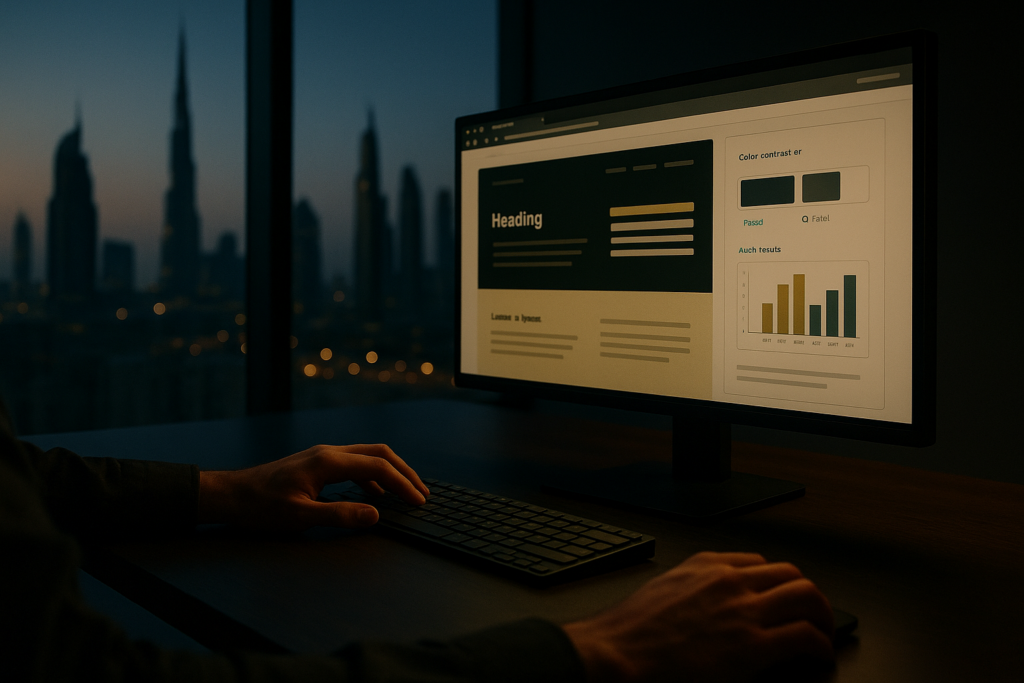
Colour contrast. Text needs a contrast ratio of at least 4.5:1 against its background for normal-sized text, and 3:1 for large text. Light grey text on a white background, a common choice in minimalist design, fails this test constantly. Low contrast doesn’t only affect visually impaired users; it slows down every visitor reading on a phone in direct sunlight, which describes a large share of mobile traffic in the UAE for much of the year. Defining a small set of accessible colour pairs once, as covered in Dominate Online’s brand style guide breakdown, stops this problem resurfacing every time someone builds a new page.
Alt text. Every meaningful image needs a written description that conveys the same information a sighted user gets from looking at it. Decorative images should carry an empty alt attribute so screen readers skip them rather than reading out a filename. Product photography, infographics and icons that link somewhere all need this, and it’s one of the rare accessibility fixes that doubles as an image-search win too.
Keyboard navigation. A meaningful share of users, not only people with motor impairments, navigate by keyboard: power users, anyone with a broken mouse, anyone using a screen reader. Every interactive element, menus, forms, filters, modal pop-ups, needs to stay reachable and operable using Tab, Enter and arrow keys alone, with a visible focus indicator showing where the keyboard sits at any point. Custom dropdown menus and carousel sliders built without this in mind are the most common failure point on a typical corporate site.
Form labels. A form field with a placeholder but no programmatic label becomes unreadable to a screen reader once the user starts typing and the placeholder text disappears. Every input needs a properly associated label, and every error message needs an announcement, not just red text next to the field. Checkout forms, booking forms and lead-generation forms are exactly where this failure costs a business a completed transaction.
Why this is a conversion problem, not just a compliance one
Roughly one in six people globally lives with some form of disability, and a website that fails basic accessibility checks turns away a share of that audience before they reach a call-to-action button. Beyond that direct loss, the same fixes that make a site accessible tend to make it faster to use for everyone: clear focus states reduce misclicks, properly labelled forms reduce abandonment, and sufficient contrast reduces the effort needed to read a page on a bright screen. Treating accessibility purely as a legal shield misses half the return.
Where accessibility fits in a realistic priority list
Website accessibility compliance is a genuinely difficult topic to rank for organically. Legal firms and specialist accessibility vendors dominate the search results for terms like ada website compliance, and outranking them on a competitive keyword sits outside most agencies’ short-term goals. The stronger play treats an accessibility audit and a published wcag compliance checklist as assets that earn links and citations from resource pages, industry directories and partner sites, rather than chasing a first-page ranking on day one.
Start with an audit against WCAG 2.1 AA, prioritised by how many users each failure affects and how close it sits to a conversion action. A missing form label on the checkout page matters more than a decorative icon with the wrong alt text. Dominate Online’s website design and development service builds these checks into new site builds and redesign projects, rather than treating accessibility as a separate audit bolted on afterwards.
Fixing accessibility issues without a wider rebuild is possible on most CMS platforms, WordPress included, using semantic HTML, a proper heading structure and tested colour tokens rather than a plugin that claims to overlay compliance automatically. Overlay tools have a poor track record in independent testing and can introduce new keyboard traps, so a manual audit against the real WCAG criteria stays the safer route. For businesses weighing whether to fix an existing site or rebuild it, this question sits alongside the one covered in Dominate Online’s realistic website pricing breakdown, since accessibility work is one of the line items a cheap quote quietly drops.
A site that passes WCAG AA is not a finished project. Browsers update, third-party scripts change behaviour, and a new landing page built by a different team can reintroduce the same contrast or keyboard issues six months later. Building accessibility checks into the same release process used for the rest of the site, rather than treating it as a one-off audit, keeps a business off a plaintiff’s radar and keeps the site usable for the customers who need it.