
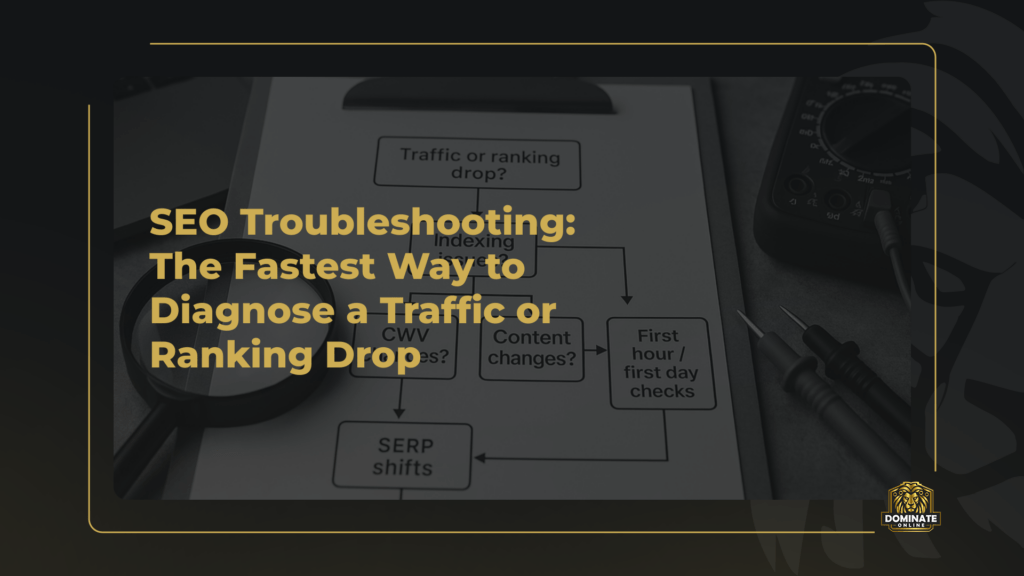


A sudden drop in organic traffic can feel like your whole growth plan is on fire. The fastest path to recovery is disciplined seo troubleshooting: confirm the data, isolate the scope, then test the handful of failure points that cause most declines (indexing, performance, content changes, SERP shifts). If the timing lines up with a broad change in search results, start by checking how you should respond to Google algorithm updates before you make sweeping site edits.
This guide is built as a triage flow (like an ER playbook) plus a “first hour / first day” checklist. It also maps cleanly into a 30-day plan execution cycle: stabilise now, validate the cause, then ship targeted fixes and monitoring.
Before you touch anything: confirm it’s a real drop
Misreads waste days. In the first 10 minutes, validate what actually changed and where.
- Confirm the metric: clicks, impressions, rankings, conversions, or revenue.
- Confirm the segment: country, device, brand vs non-brand, directory, template type, or a specific set of pages.
- Confirm the timeframe: compare week-over-week and year-over-year (seasonality is real).
- Confirm tracking integrity: analytics tags, consent banner changes, GA4 configuration, filter changes, or CDN caching issues.
Use Google Search Console for search performance and indexing, and your analytics platform for sessions and conversions. When in doubt, prioritise Search Console clicks and impressions because they reflect Google’s view of search demand and your visibility.
The rapid triage flowchart (diagnose in the fastest order)
Use this decision flow to narrow the cause quickly. The goal is not to “fix SEO” broadly; it’s to identify the single dominant failure mode and stop the bleeding.
Step 1: Did clicks drop but impressions stay similar? Yes → likely ranking/CTR or SERP layout change. No → go to Step 2.
Step 2: Did impressions drop too? Yes → likely indexing/eligibility or demand shift. No → go to Step 3.
Step 3: Is the drop limited to a directory/template (e.g., /blog/, /products/, location pages)? Yes → suspect a technical or template change. No → go to Step 4.
Step 4: Did anything ship (CMS update, redirects, robots, navigation, content rewrite) in the last 7–14 days? Yes → audit changes first. No → go to Step 5.
Step 5: Is Google having issues crawling/indexing broadly? Check the Google Search Status Dashboard. If all green, proceed with indexing + performance + content validation.
The first hour checklist (stabilise + isolate)
In the first hour, you’re aiming to answer three questions: what dropped, where, and why first.
1) Scope the damage
Pull these slices in Search Console Performance:
- Queries: brand vs non-brand, top losers, new winners (sometimes demand shifts).
- Pages: top losing URLs, patterns by folder, and whether only certain templates fell.
- Country & device: mobile-only drops often signal performance/CWV or mobile UX issues.
- Search appearance: rich results loss (FAQ, product, review snippets) can hit CTR hard.
2) Check for indexing or crawl blockers
Open a handful of losing URLs in Search Console and run the URL Inspection tool documentation as your reference for what each status actually means. You’re looking for any of these “stop signs”:
- Robots.txt blocking (especially after environment changes or migrations).
- Noindex in meta tags or X-Robots-Tag headers.
- Canonical changes that now point to the wrong URL or a category root.
- Redirect chains or accidental 302s where 301s are expected.
- Soft 404s, 404s, 410s, or server errors (5xx/timeout).
3) Verify whether this is a site-wide quality/intent shift
If the drop is broad across many query groups (not just one template), assume Google’s interpretation of intent or quality changed. In that case, resist the urge to edit everything. First, identify which page types lost rankings and what replaced them (forums, long-form guides, marketplaces, local packs, AI overviews, etc.).
4) Freeze risky deployments
If you suspect a technical release is involved, pause non-essential deployments. Rapid reversibility is a ranking recovery superpower: you want the option to roll back quickly while you test.
The first day checklist (confirm the root cause)
Day one is about turning hypotheses into evidence. Use this order so you don’t chase distractions.
1) Indexing deep-dive: are your key pages eligible and chosen?
For the top 20 losing pages, document:
- Indexing status: indexed / not indexed / “discovered, not indexed” / “crawled, not indexed”.
- Canonical: user-declared vs Google-selected (mismatches matter).
- Last crawl time: sudden changes can point to crawl budget or server constraints.
- Rendered page checks: confirm critical content links are present after rendering.
Common diagnosis patterns:
- If many pages are “crawled, not indexed”: suspect thin/duplicated content, low uniqueness, or poor internal linking.
- If Google-selected canonical changes site-wide: suspect duplicate templates, URL parameter explosion, or inconsistent internal linking.
- If crawl stats show spikes in 5xx: suspect hosting/CDN incidents or WAF rules blocking Googlebot.
2) Core Web Vitals and performance: did UX fall below thresholds?
Performance drops rarely “delete” rankings instantly, but if you were on the edge, a regression can push large sections of your site into poor experience buckets and contribute to gradual declines. If your drop is mobile-heavy, investigate CWV immediately. For a practical UAE-focused perspective, see our guide on Core Web Vitals optimisation and compare it against your current template and script stack.
Prioritise the pages that both (a) lost traffic and (b) represent high revenue intent. Fixing a handful of templates often recovers far more than “site-wide” micro-optimisations.
3) Content changes: detect what was edited, removed, or diluted
Content-related declines are usually self-inflicted. In day one, answer:
- What changed? headings, internal links, copy length, product attributes, FAQ blocks, structured data, media, navigation.
- Was intent preserved? did you turn a transactional page into a generic guide (or vice versa)?
- Did you remove proof? pricing, location details, policies, author bios, citations, case studies, reviews.
If you rewrote pages using AI, ensure the edits strengthened helpfulness and credibility rather than creating “samey” content. Watch for accidental duplication across location or service pages, which can cause Google to cluster them and choose only one to rank.
4) SERP shifts: your rankings may be “stable” while traffic falls
Sometimes the issue isn’t your position; it’s the page layout. Common SERP changes that reduce clicks:
- AI overviews / featured snippets absorbing informational queries.
- Local pack expansion pushing organic results down.
- More ads / shopping units crowding above-the-fold on mobile.
- New competitors with stronger brand signals or more relevant formats (video, UGC, forums).
To validate, compare your top queries before/after the drop and manually inspect the current SERP. Note what replaced your listing and whether your snippet is less compelling (title truncation, missing rich results, outdated meta description).
5) Link and reputation signals: check for sudden losses or trust issues
While link changes tend to have slower effects, you should still review whether:
- Important pages lost internal links due to navigation or template changes.
- High-value referring pages were removed or changed to nofollow.
- A negative PR event or brand sentiment issue reduced branded searches and conversions.
Diagnosis playbooks by scenario (what to do next)
Scenario A: “Not indexed” spike or big drop in indexed pages
Most likely causes: noindex rollout, robots.txt disallow, canonical mistakes, redirects, parameter duplication, thin/duplicate content expansion.
Fast actions:
- Audit robots/noindex/canonicals on affected templates (one bad template can hit thousands of URLs).
- Fix and request reindexing for priority pages after confirming the fix is live.
- Strengthen internal linking to priority pages so Google sees them as important and unique.
What not to do: publishing hundreds of new pages “to compensate.” If indexing is the problem, more URLs can worsen it.
Scenario B: Mobile-only drop + higher bounce + slower pages
Most likely causes: script bloat, tag manager changes, new chat widgets, heavy sliders, image regressions, font loading issues, CLS from late-loading elements.
Fast actions:
- Identify the regression window (what shipped right before the drop).
- Fix template-level issues first (home, category, product/service, article template).
- Re-test the highest-traffic pages after each rollback or fix to confirm improvement.
Scenario C: Only one directory or page type dropped
Most likely causes: a template change (titles, headings, internal links), duplicate content patterns, pagination handling changes, incorrect canonicalisation, thin category pages.
Fast actions:
- Pick 5 representative URLs and compare HTML before vs after the change (titles, H1, schema, body copy, internal links).
- Confirm intent alignment: does the page still match the query set that previously drove clicks?
- Fix the template rather than “hand-editing” pages one by one.
Scenario D: Rankings unchanged but clicks fell
Most likely causes: SERP layout changes, lost rich results, weaker snippet, competitor titles/meta becoming more compelling, increased ads/units.
Fast actions:
- Improve snippet relevance (titles that match intent, accurate meta descriptions with differentiators).
- Validate structured data and whether you lost eligibility for rich results.
- Consider format shifts (adding FAQs, comparison sections, imagery, video where appropriate).
Scenario E: Post-migration or redirect-related drop
Most likely causes: redirect mismaps, 302s, redirect chains, wrong canonicals, mixed internal links pointing to old URLs, sitemap issues.
Fast actions:
- Validate the redirect map for top landing pages and top linking URLs.
- Update internal links to final destination URLs to reduce chains and speed up consolidation.
- Submit a clean sitemap containing only 200-status canonical URLs.
How this fits into 30-day plan execution (recover and prevent repeats)
A good 30-day execution plan turns one-off firefighting into a repeatable system:
- Days 1–3 (Stabilise): confirm scope, fix blockers (robots/noindex/redirects), roll back regressions, restore key pages.
- Days 4–10 (Validate): measure indexing recovery, monitor query groups, compare SERPs, confirm CWV improvements on priority templates.
- Days 11–20 (Strengthen): improve content intent match, add proof and differentiation, consolidate duplicates, tighten internal linking.
- Days 21–30 (Harden): add monitoring alerts, create release checklists, document standards for templates, and run a post-incident review.
The point is to finish the month with fewer unknowns: what “good” looks like for your site, what changed when things broke, and which checks happen before every deployment.
Monitoring setup that prevents the next surprise drop
Most ranking drops are only “sudden” because there were no alerts. Build a simple monitoring stack:
- Search Console alerts: coverage/indexing spikes, manual actions, security issues.
- Weekly segment reporting: by directory/template, country, device, and query group.
- Release notes: track every SEO-impacting change (titles, internal linking, navigation, JS rendering, CDN rules).
- CWV watchlist: top 50 landing pages on mobile, tracked after every major script or design change.
FAQs
How long does seo troubleshooting usually take before you see recovery?
If the cause is a clear technical blocker (noindex, robots.txt, broken redirects), you can often see improvement within days once Google re-crawls. If it’s a quality/intent reassessment or SERP shift, recovery can take weeks and may require substantive content and UX changes rather than a single “fix.”
What’s the first thing to check when rankings drop overnight?
Check indexing eligibility on your most important URLs (URL inspection, robots, noindex, canonicals), then confirm whether a deployment happened. If both look clean, review query groups and SERP changes to see if the drop aligns with broader shifts.
Why would impressions drop but rankings in my tracker look stable?
Rank trackers often sample limited keywords and locations. Impressions can drop due to demand changes, country/device shifts, loss of rich results, or Google choosing different pages/canonicals than your tracking assumes. Use Search Console page/query data as the primary source of truth.
Can Core Web Vitals alone cause a big traffic drop?
It’s uncommon for CWV alone to cause an immediate massive collapse, but performance regressions can contribute to sustained losses—especially on mobile—when combined with strong competition. Treat CWV as part of a broader diagnosis: eligibility, relevance, and credibility still lead.
Need a faster diagnosis and a clean recovery plan?
If you want an expert-led incident response (triage, root cause analysis, and a 30-day execution plan to recover), explore our SEO services for improving organic traffic and rankings. We’ll prioritise the fixes that move results first and help you build a repeatable prevention system.